Intelligent Staffing
Helping audit managers match the right people to each audit, using their skills, qualifications and work history.
- Role
- Lead Product Designer & Researcher
- Company
- Optro (formerly AuditBoard)
- Period
- Q1 2024 – Q1 2025
- Team
- Product, Engineering, Customer Success
Overview
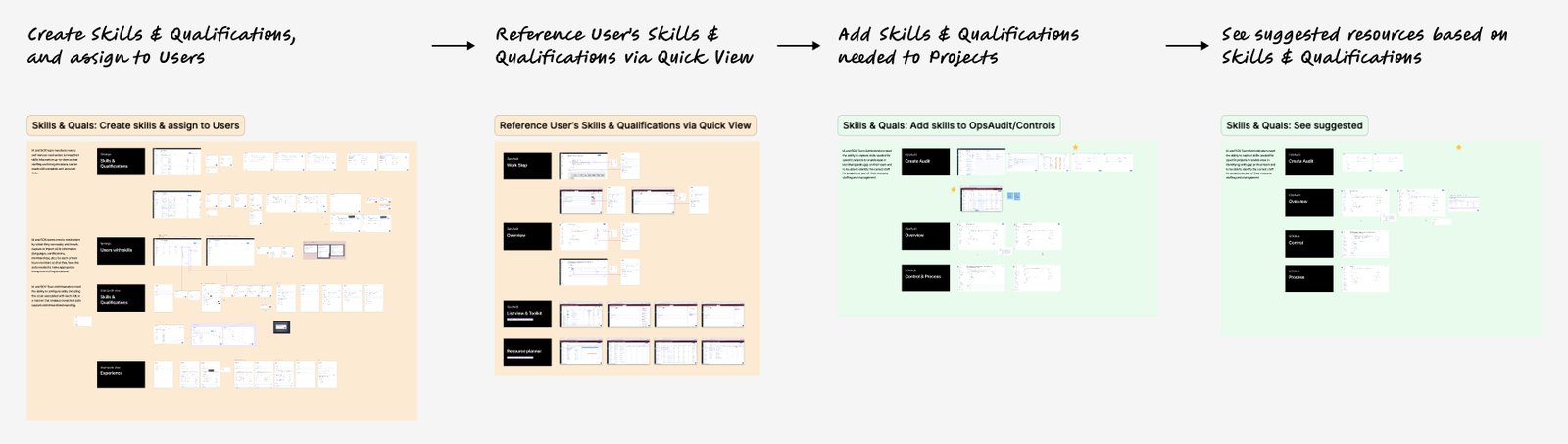
To help organisations staff audit projects more efficiently and meet regulatory requirements, we designed a feature that lets customers assign skills and qualifications to users, then match them to the right audit projects.
This made sure auditors were not only available but properly qualified, saving time and increasing confidence with regulators.
My role
- Lead Product Designer
- Partnered with Product Management, Engineering and Customer Success
- Responsible for user flows, wireframes, high-fidelity designs and stakeholder reviews
The problem
Audits require very specific skills: industry certifications, technical expertise and regulatory qualifications. Existing workflows were manual, scattered and out of date. Customers struggled with:
- Assigning the right people to audits quickly
- Proving to regulators that assigned auditors were qualified
- Avoiding inefficient resourcing or rework caused by skill mismatches
A two-part solution
Part 1
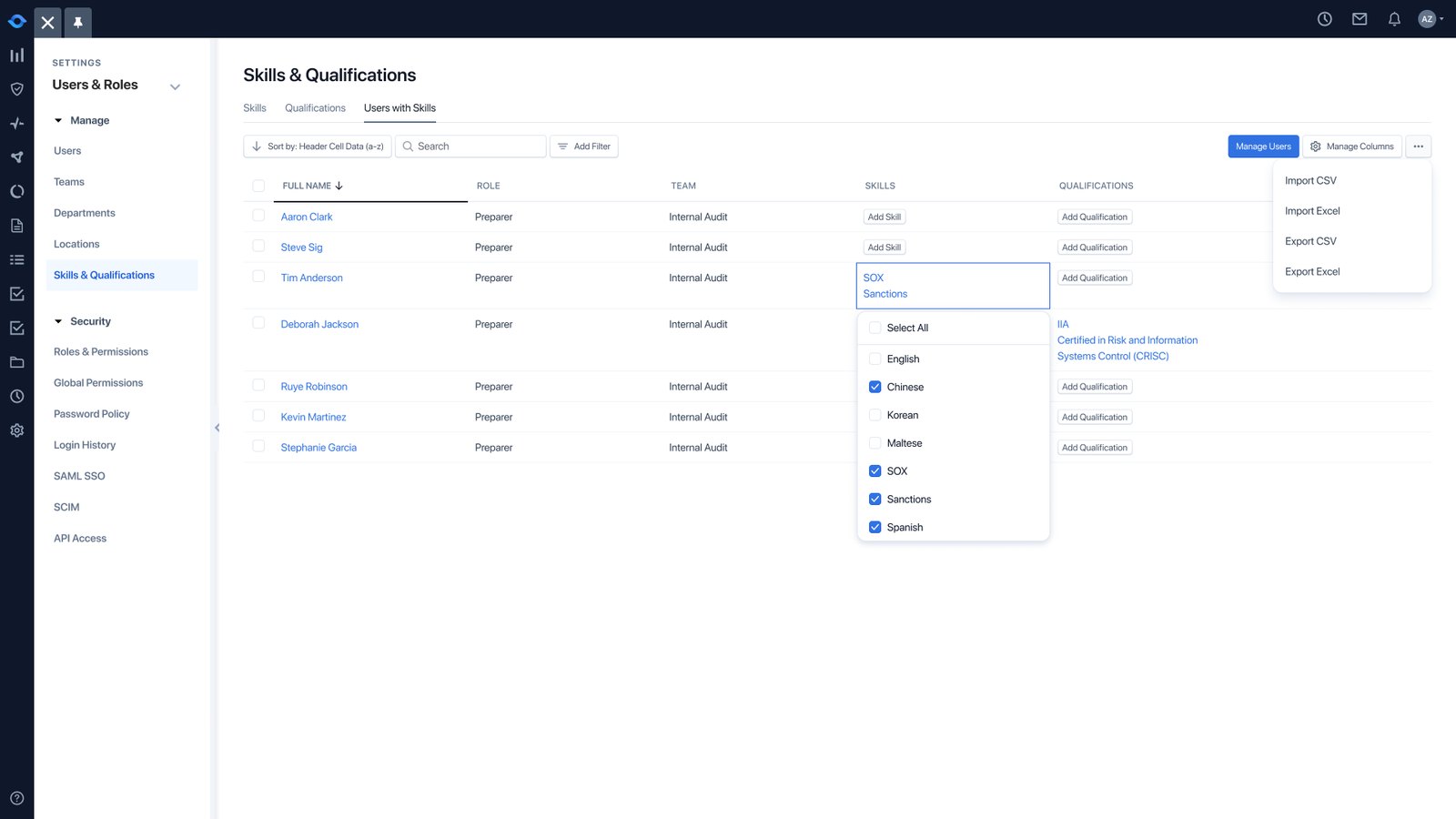
Skills & qualifications assignment
- Admins define skills, certifications and experience areas.
- People are tagged with these qualifications inside the platform.
Part 2
Smart resourcing for audit projects
- When building an audit team, managers filter and assign people by skills and qualifications.
- The system prioritises people who are both available and qualified.
A bonus for compliance: regulators can see who was assigned to an audit and verify their qualifications.
Key design decisions
Modular skill assignment
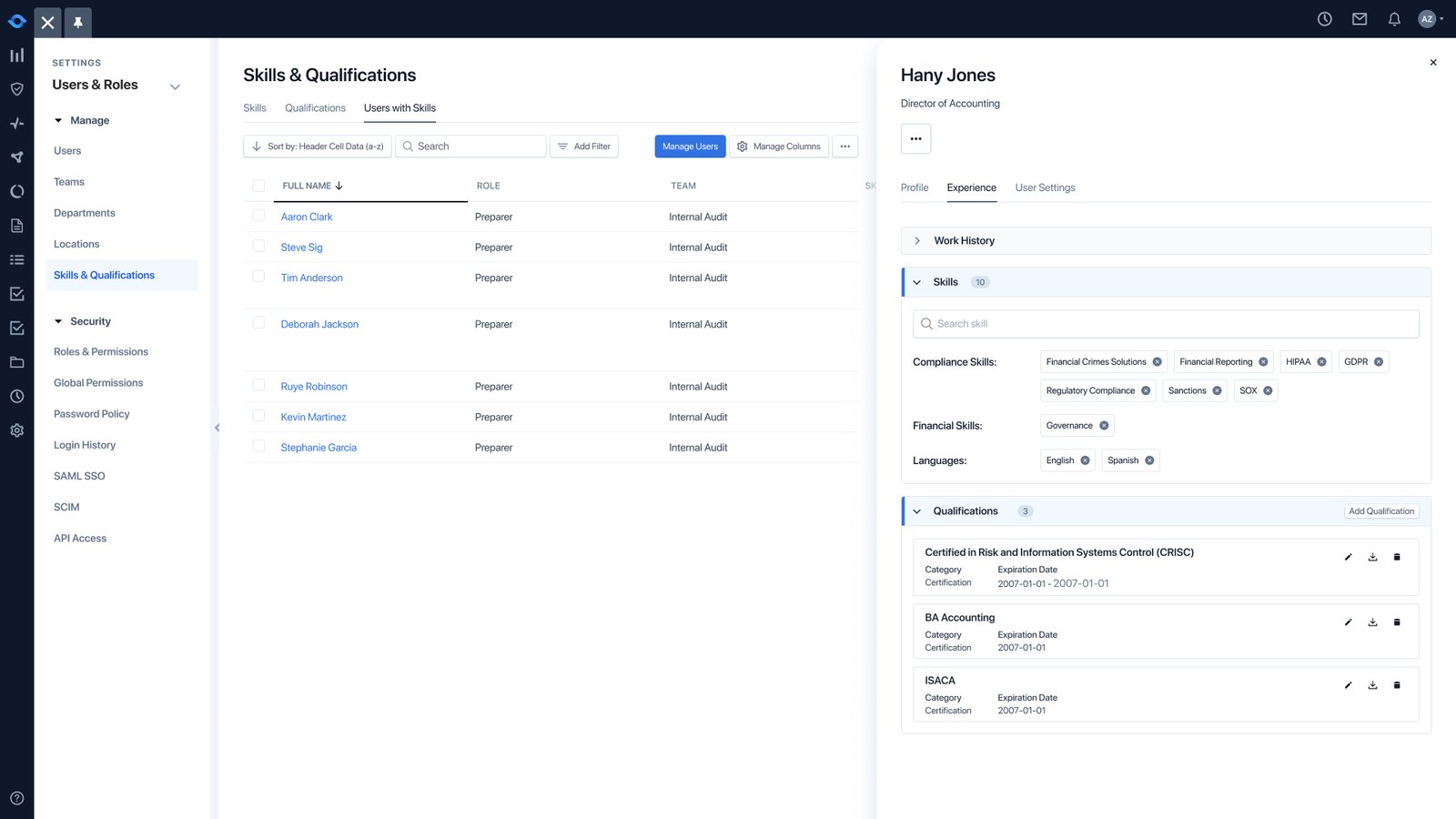
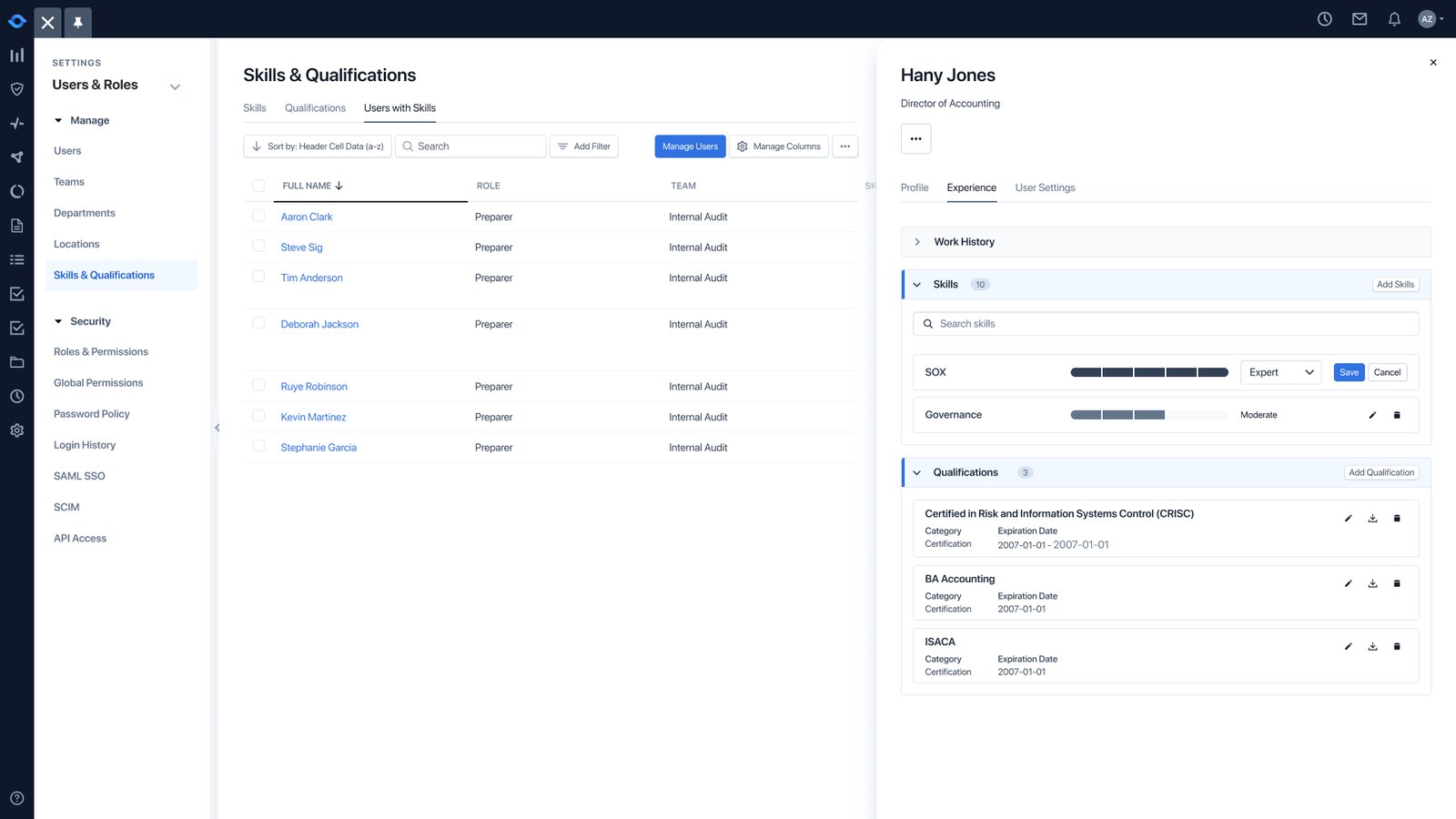
People can have multiple skills added or removed quickly.
Skills where staffing happens
Skill and qualification indicators sit directly in the resourcing tables for instant visibility.
Error prevention
Validation stops unqualified people being assigned to critical audits.
Reporting for regulators
An export shows the qualifications tied to each audit, ready for regulator reporting.
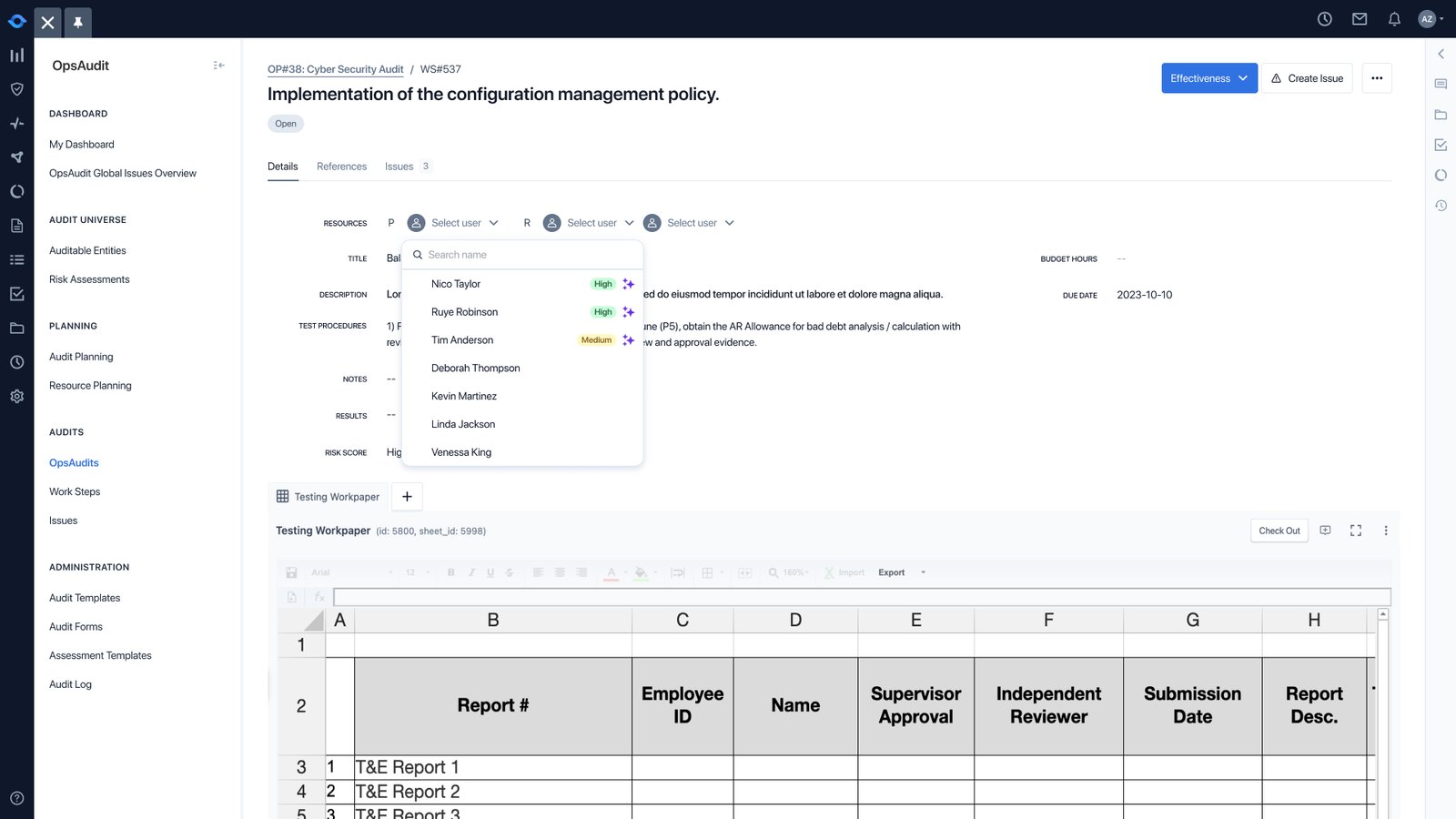
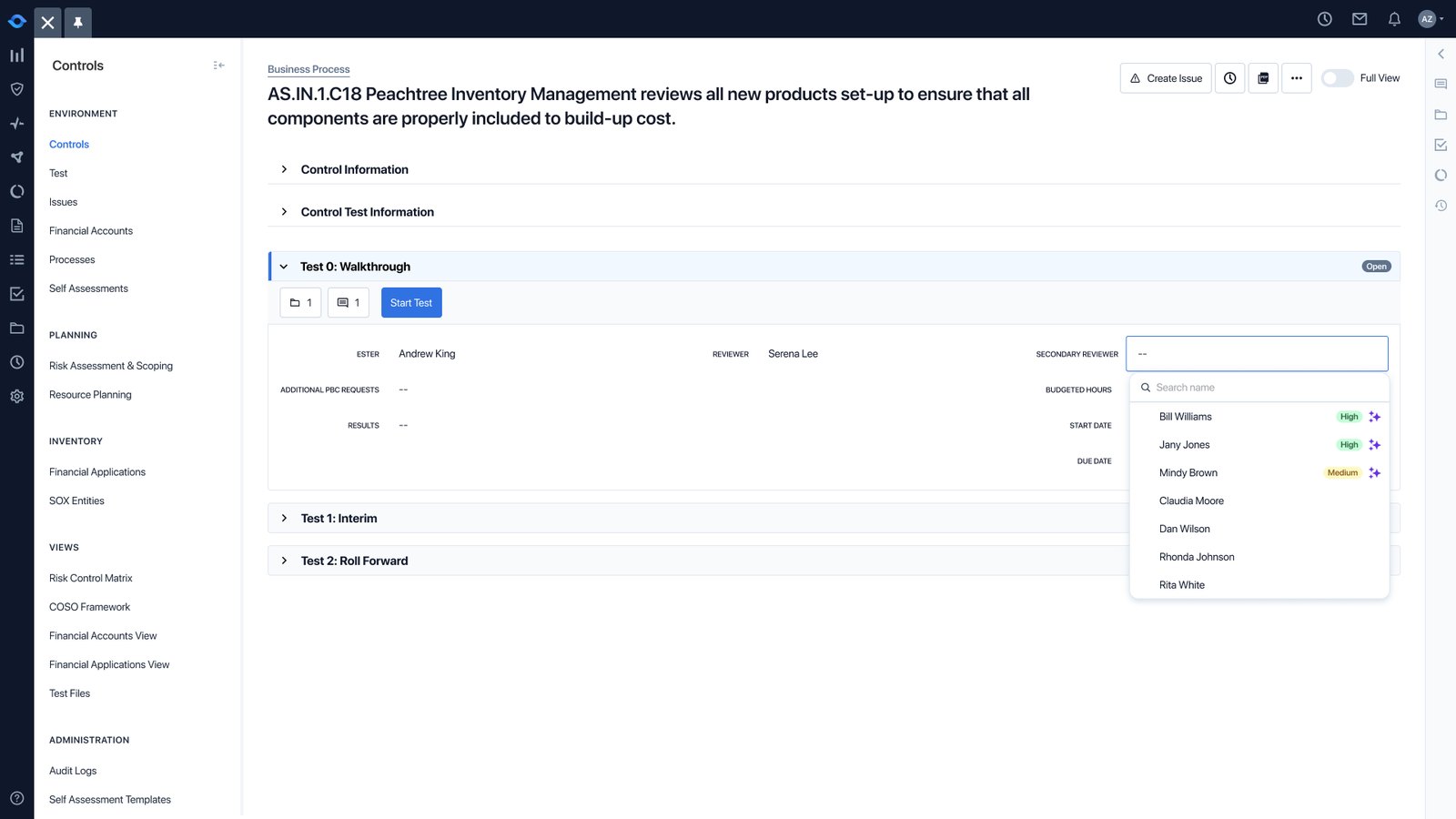
AI suggestions
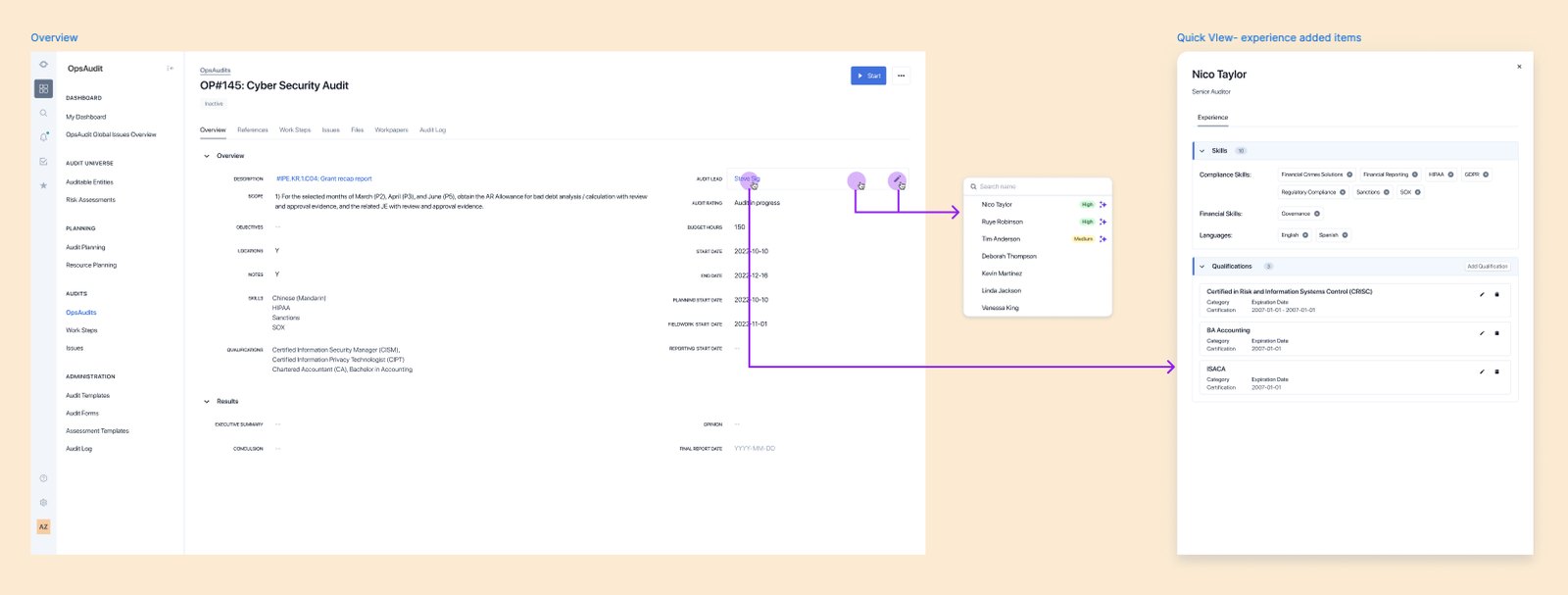
Suggested people, right where work is assigned
Team managers see AI suggestions for who to staff on a project, based on skills, qualifications and work history, so projects are staffed more efficiently and run more effectively.
Skills & qualifications
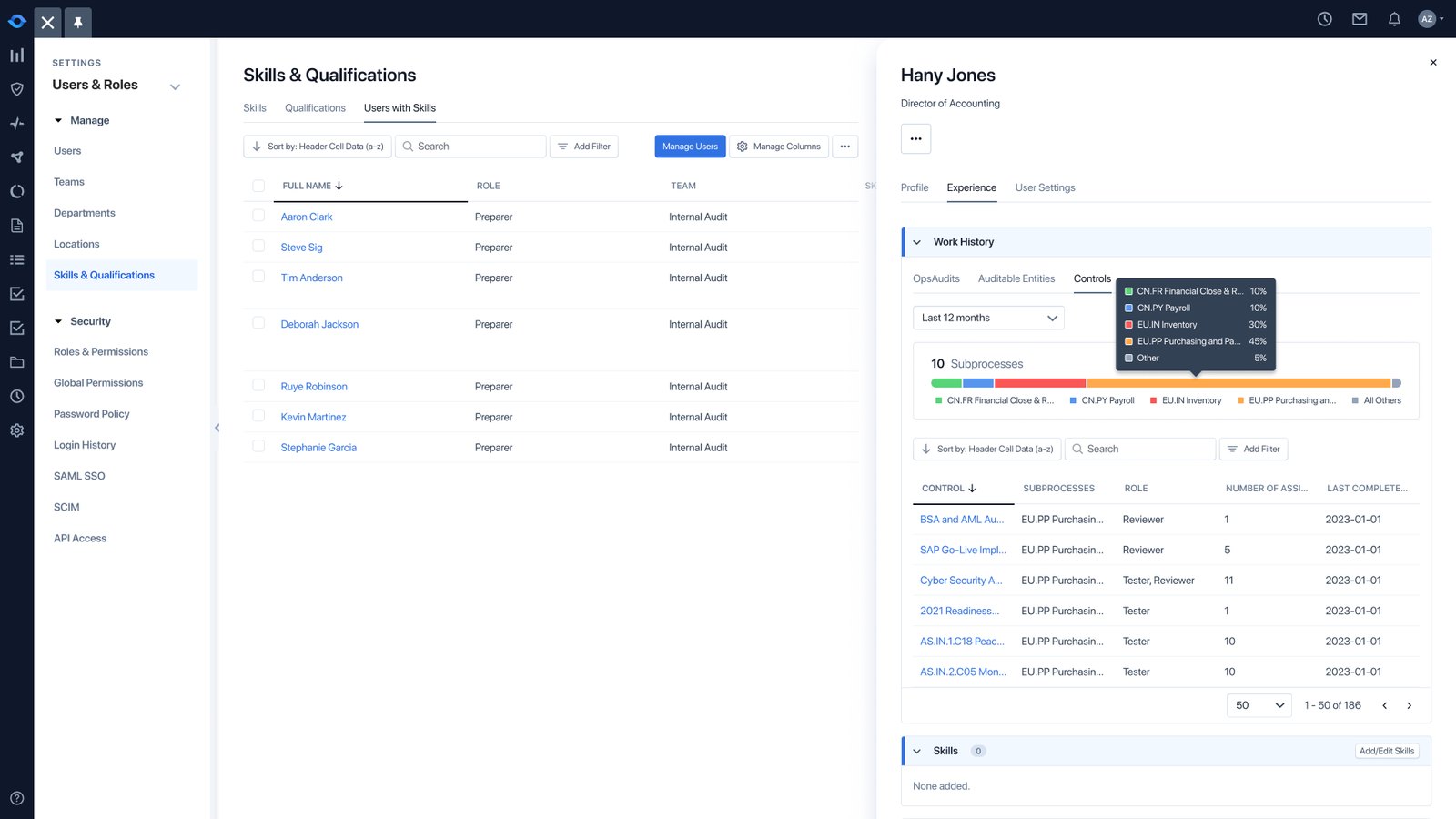
Everything about a person, one click away
Outcome
- Faster, more accurate resourcing
- More customer confidence during regulatory audits
- Less admin time, by standardising how qualifications are assigned